Write, type, sketch.
Apple Pencil or finger, typed text, translucent highlighting and full-spectrum colors. Choose your fonts and control pressure sensitivity.
Write a thought. Sketch an idea. Make room for the day.
Coming soonA personal notebook, planner and sticky board.
No studio account needed.
Keep work notes crisp, class notes colorful, and your own ideas completely your own. Mix simple paper, professional organizers and playful stationery in the same notebook.
Apple Pencil or finger, typed text, translucent highlighting and full-spectrum colors. Choose your fonts and control pressure sensitivity.
Daily and weekly planners, calendars, meeting notes and more. Change dates, rename columns, move sections and save layouts to use again.
Design notebook covers, collect useful stickers and stamps, or draw your own. Favorite your finds and pin shortcuts beside the page.
Actual app screens with sample notes.
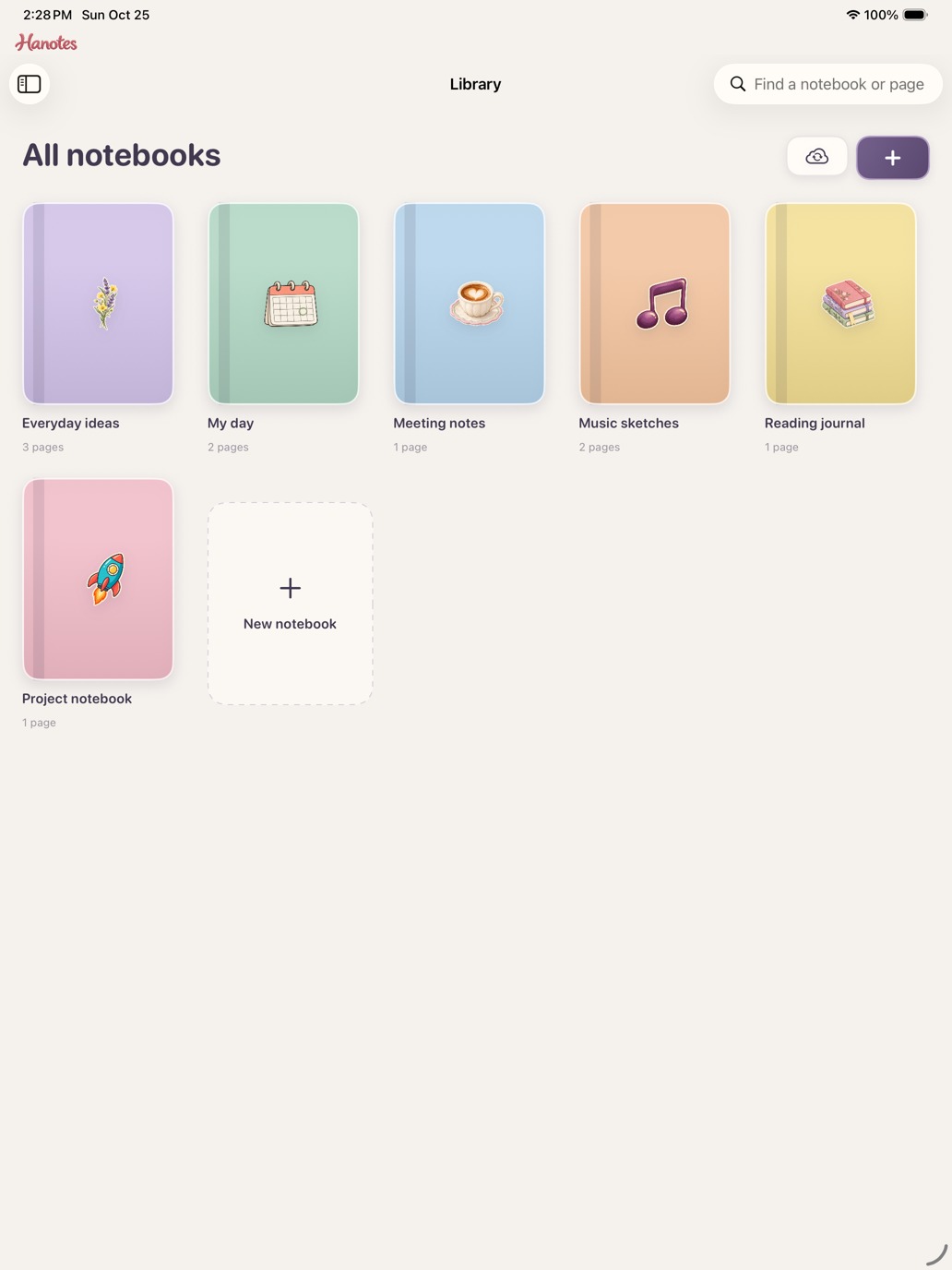
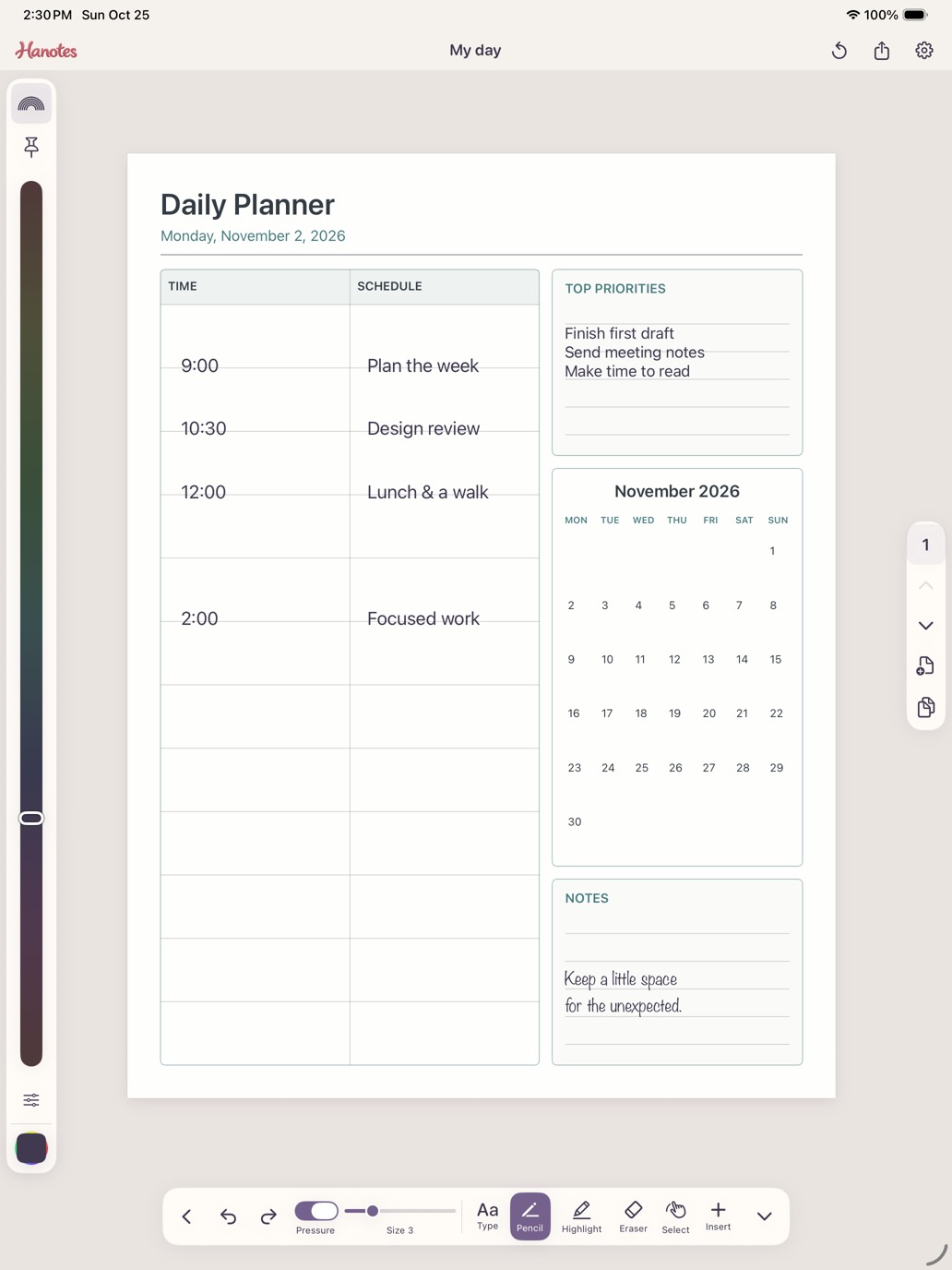
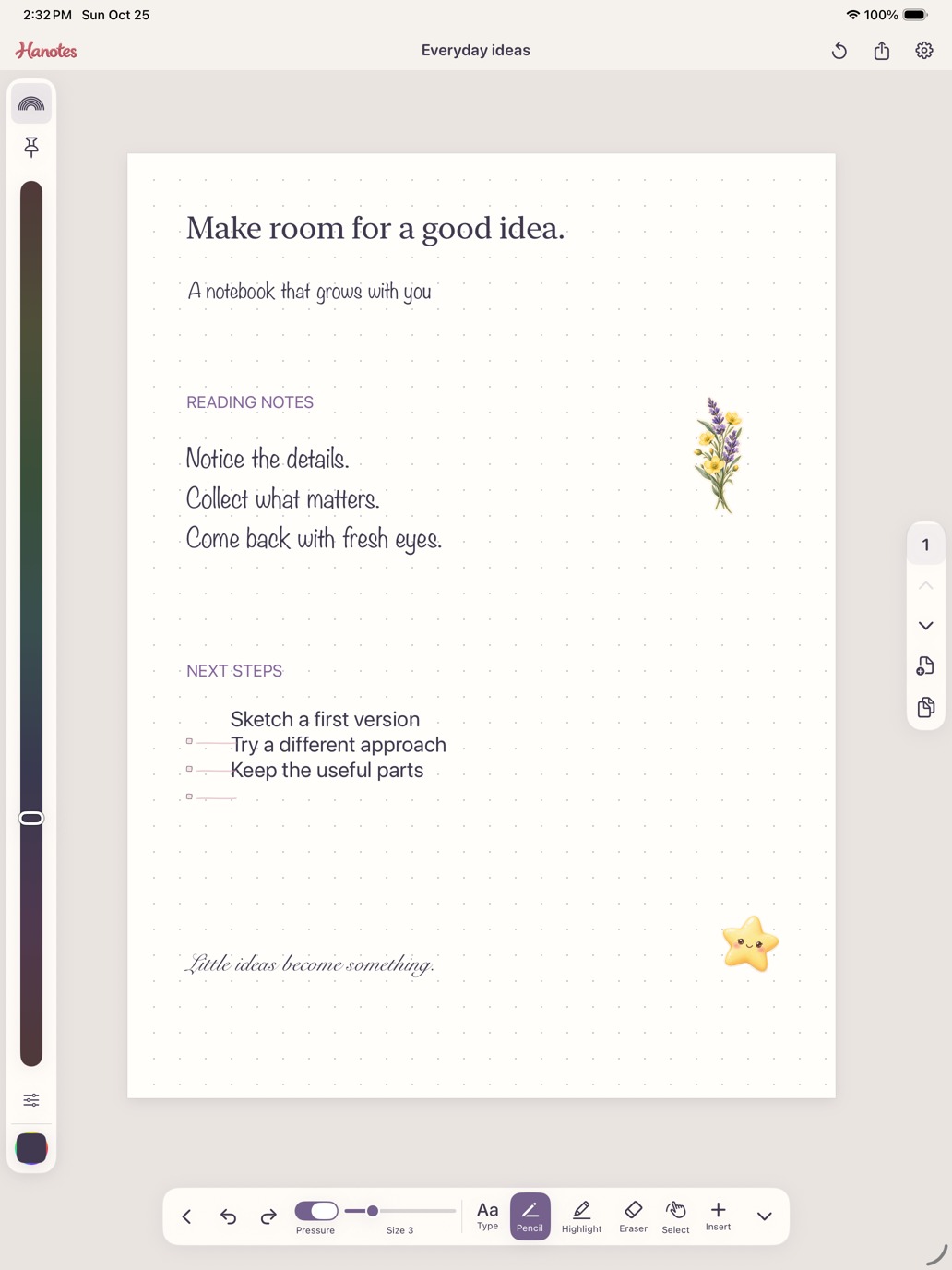
Arrange colored sticky notes on a board, then add them to notebook pages. Text and drawings stay linked across both places. Move each copy wherever it works best.
Manuscript, piano and guitar TAB paper, custom staff layouts, and a searchable notation collection for musical ideas.
Work offline, sync through your private iCloud account when enabled, export PDF or images, and print with system print options.
Pick your own paper, size, colors and type. Use gestures to zoom and rotate, or hide tools for a quieter writing space.
Questions or feedback? Email hello@mediocregs.com. Include your app version and device model, and leave out any private notes you don’t want to share.
Hanotes is in development for iPad and iPhone. This page will link to the App Store when the public release is available. There is no public download yet.
No studio account is needed. Private iCloud sync uses your Apple Account and is on by default when available. Turn it off in Settings to keep working locally. Turning it off does not automatically erase existing iCloud copies.
Yes. Combine typed text, handwriting, drawings, stickers, music symbols and sticky notes. Apple Pencil requires a compatible iPad. Optional Write as text uses Apple Scribble where supported.
Open the page’s settings and choose Layout settings for dates and style, or Edit layout to change headings, columns and sections. Save a reusable design in My layouts.
Use the page header’s share button for PDF/image export and print options. Notebooks export as PDF. Keep exported copies of important work; sync is not a substitute for your own backup.
The music tools provide paper and placeable notation. Score playback and automatic music transcription are not included.